

By SH Sanzid · Published · Last updated
Instagram already gets people through the door. You post the weekend special, regulars tag your shop, and Google Maps gets new customers to the counter. When the basics are working, a website can feel like one more bill and another place to update your opening hours. So, does a coffee shop need a website if Instagram brings people in?
Yes, most coffee shops benefit from a simple website. It gives customers one place to check today’s hours, read the menu, get directions, or order ahead. Instagram helps people discover your café, and Google Maps helps them get there. A single page is often enough for a small shop.
I’m SH Sanzid, a web designer at PosySites. Here’s how to decide what to build and what to budget. For design ideas, see our 10 best coffee shop websites.
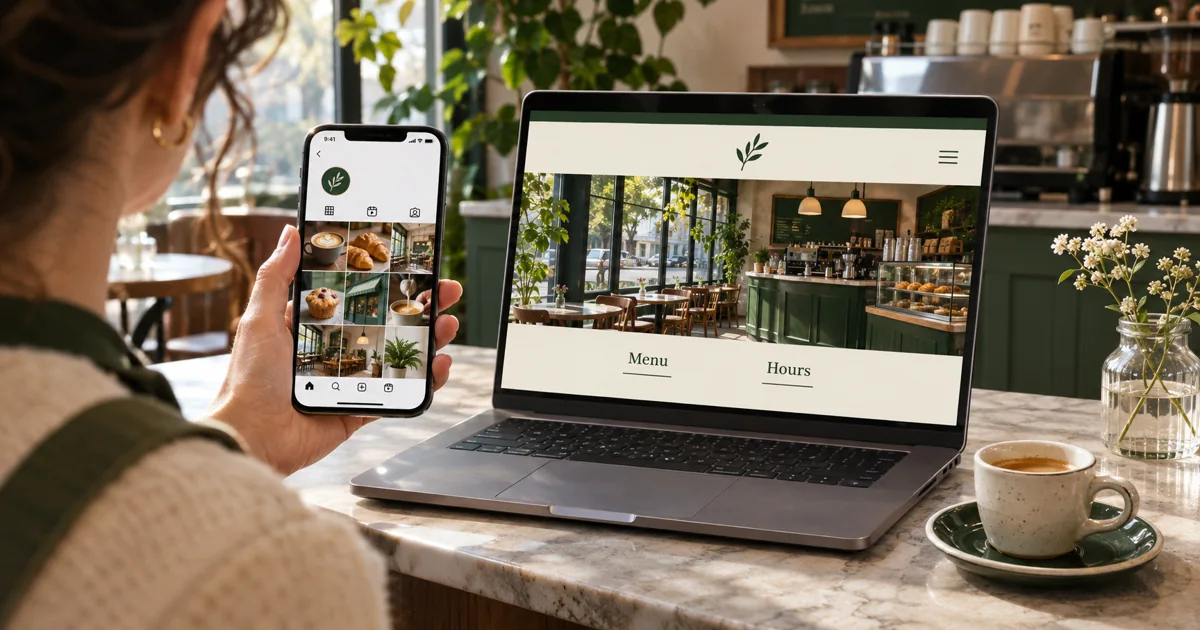
Does a coffee shop need a website right away?
Look at what customers are trying to do this month. If they mainly need to find your address and see whether you’re open, your Google Business Profile and Instagram may already cover it. If staff spend part of every shift answering the same messages, a page with the answers can save them time.
Instagram and Google can cover the basics if
- You run one location or a small pop-up that gets most of its sales from walk-ins.
- Your menu is small, and you can keep the details current.
- You’re happy to post when things change and have someone checking messages.
- Customers can get directions, see your hours, and call you from your Google profile.
A website earns its keep if
- You take preorders, sell beans, or want customers to buy gift cards or subscriptions.
- You’re adding a location and need separate hours and directions.
- You’re hiring, taking catering inquiries, or renting the space for private events.
- You want to reach nearby customers in organic search or take pickup orders directly.
Instagram vs. Google Business Profile vs. a website
Instagram shows people what a visit might feel like. Google Business Profile puts your hours, location, and reviews in Google Search and Maps. A website is your own address online, where customers can get details and take their next step.
| Feature | Google Business Profile | Website | |
|---|---|---|---|
| Who controls it | Meta runs the platform | Google runs the listing | You control the domain and content when registered in your name |
| Google Search | Public profiles and some posts may surface | Can appear in local results | Pages can appear in organic results |
| Google Maps | No Maps listing | Can appear in Maps | Can link to your listing and directions |
| Full menu | Post it or add a link | Add a menu or link | Publish an organized, editable menu |
| Online ordering | Send people to an order link | Add an order link where supported | Add checkout or connect an ordering service |
| Beans and subscriptions | Promote and link to your shop | Link to your site | Sell and manage recurring orders |
| Email signups | Link to a signup form | Send people to your website | Add a signup form to any page |
| Custom design | Photos, bio, and highlights | Standard listing layout | Custom design and navigation |
| Daily posting | Optional for an active feed | Update when details change | Update when details change |
| Cost | Free profile, optional ads | Free listing, optional ads | Domain, hosting or plan, and upkeep |
Link the three together so someone who sees a latte on Instagram can find the menu, check Sunday hours, and open directions without hunting through old posts.
7 reasons your coffee shop needs a website
1. Keep a web address you control
Put the domain in your business’s name, keep the login, and back up your content. Customers can still use that address when you switch hosting providers. Google retired its free Business Profile websites in 2024, which is a good reason to print your own domain on signs and menus. In June 2026, Fresh Cup profiled shops such as Detroit’s Anthology Coffee that had pulled back from regular Instagram posting. Business Profile website shutdown · Fresh Cup’s reporting
2. Give Google a page for each location
People search for things like “coffee near me” or “coffee shop with outdoor seating in Bristol.” Give each location a page with its neighborhood, hours, and details people actually search for. Use the same business name, address, and phone number on the site and its Google profile. Maps results also depend on relevance, distance, and prominence. Google’s local ranking guidance · Local SEO for cafés
3. Help customers plan a visit
Put your menu in readable text instead of a PDF and show your hours next to the address. Add details people call to ask about, such as parking, a step-free entrance, Wi-Fi, or whether dogs are welcome. My first design check is on a phone. Can I find those details while standing outside the shop, with one hand free?
4. Take pickup orders directly
Delivery services such as DoorDash, Uber Eats, and Deliveroo can bring in new customers. For regulars who pick up, a direct ordering link may save you marketplace commission. Compare the payment fees, ordering software, and staff time before deciding. Start with a few items your team can reliably prepare during the morning rush.
5. Sell beyond the counter
A basic shop can start with a few bags of beans, a digital gift card, and local pickup. If people keep asking for a recurring order, offer a subscription with clear delivery and pause options. Counter Culture Coffee shows how those choices can sit on one page. Counter Culture Coffee subscriptions · Sell coffee beans and subscriptions with WooCommerce
6. Give catering, events, and jobs their own space
Tell customers how many guests you can serve, what equipment you bring, and how much notice you need. Ask for an event date, guest count, and location on the form. If you’re hiring regularly, add a page with the location, shifts, and how to apply.
7. Make business details easier to find in AI search
Publish useful facts such as holiday hours and your menu as text on public pages. That gives Google and AI-powered search tools such as ChatGPT and Perplexity a source they can read if they can access the page. Google says pages eligible for regular search snippets can also be eligible for AI Overviews. Google’s AI search guidance
When Instagram is enough for a coffee shop
If you’re testing a weekend coffee cart or running a walk-in café with one location and a tight budget, start with Instagram. Pin where to find you and when you’re open. Use one link in your bio for the current menu, schedule, and directions. Change it before you announce a new location or holiday hours.
If your café is eligible for a Google Business Profile, claim it, keep its hours accurate, and learn how to get more Google reviews safely. Set a trigger for building a site, such as adding pickup, opening a second location, or putting your beans on sale. That way, you’ll know what your first page needs to do.
What should a coffee shop website include?
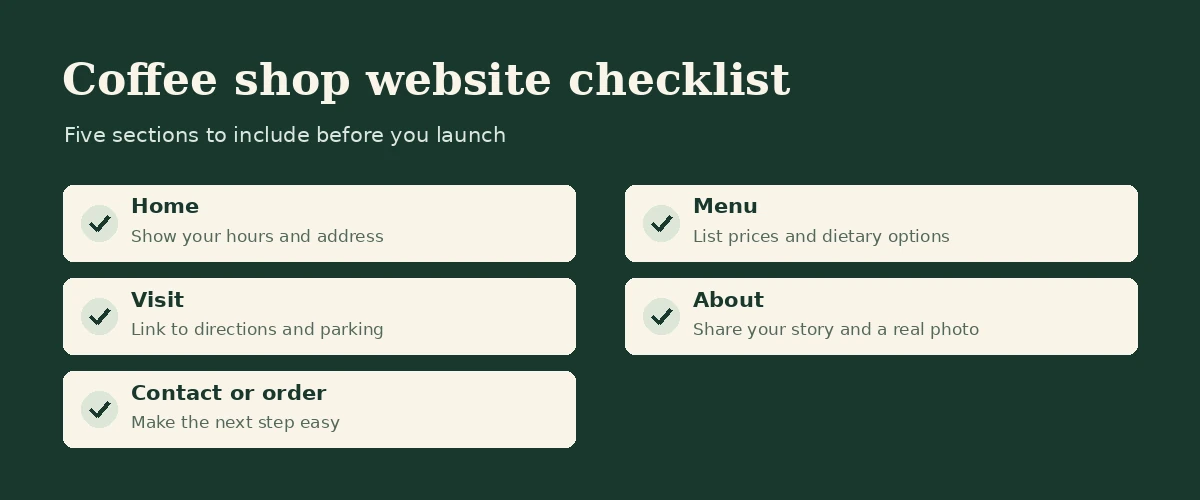
Start with five sections. You can fit them on one page or give each a page of its own as the shop grows.
- Home. Show the address, hours, and a prominent Menu or Order button before people scroll on a phone.
- Menu. Use readable text for items, prices, and dietary options. Keep it easy for staff to edit.
- Visit. Add a directions link or map, parking and accessibility details, and holiday hours.
- About. Tell people what makes the shop worth a visit. A real photo and a few sentences often cover it.
- Contact or order. Give customers a phone number and a clear route to order pickup, ask about catering, or request private hire where available.
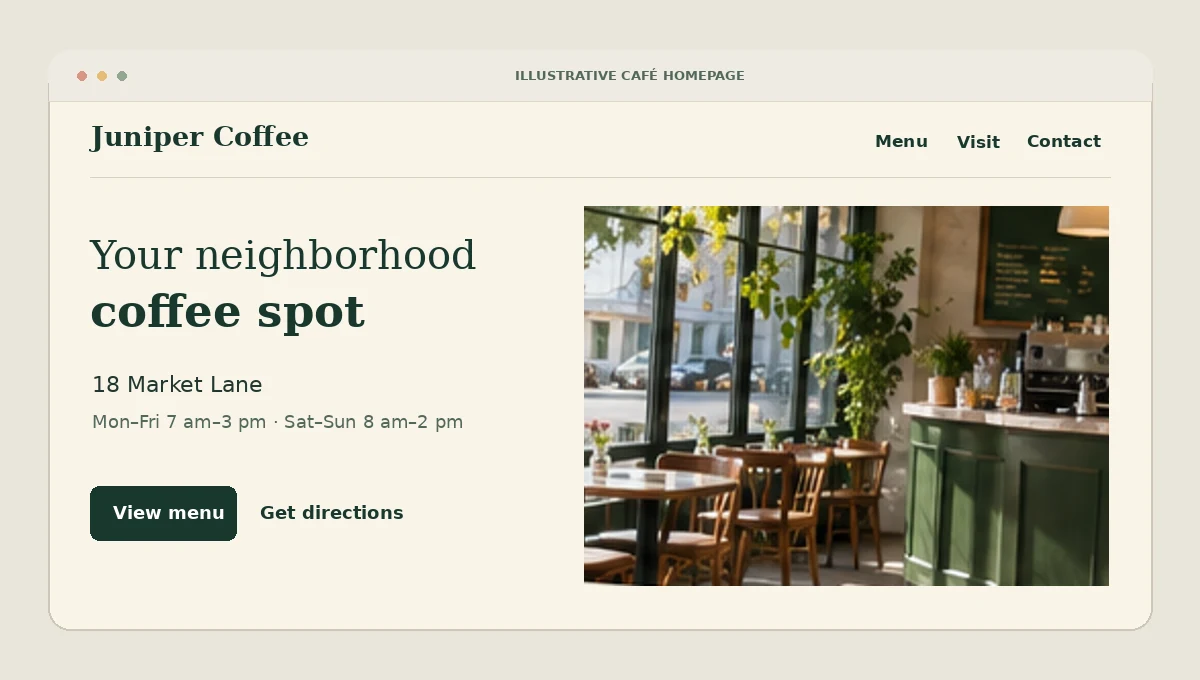
Use separate pages when different locations have their own hours or when a store, catering service, or detailed menu needs more room. Keep the pages light enough to load on mobile data. Ask your developer about CafeOrCoffeeShop structured data, which labels facts such as your address for search engines. See how cafés put these ideas to work in our 10 best coffee shop websites.
How much does a coffee shop website cost in 2026?
Budget for the build and the ongoing costs. The figures below are in USD. The freelancer example uses an assumed 20–40 hours at Upwork’s published median rates. The agency example assumes 40–60 hours at Clutch’s published rates. UK owners should request a quote in pounds and ask whether VAT is included.
| Option | Upfront cost | Monthly cost | Best for |
|---|---|---|---|
| DIY builder | Your time and any annual prepayment | Wix Light lists $17 per month. Check billing terms and regional pricing. | A simple menu and location site |
| Freelancer or small studio | $300–$1,200 example at $15–$30 per hour | Hosting or builder plan, plus any care plan | A small site you can update yourself |
| Custom agency build | $4,000–$8,940 example for 40–60 hours at $100–$149 per hour | Hosting or platform plan, plus any paid apps and support | A store, subscriptions, or several locations |
Ask who renews the domain, updates the menu, and fixes the order form if it breaks. If you sell online, budget separately for payment processing, order software, and maintenance. Wix plan information · Upwork designer rates · Clutch’s 2026 pricing guide · Website care and maintenance
Want a fixed-price quote for your café website? Tell us about your project.
How Instagram and your website can work together
Send people from your Instagram bio to the page they’re most likely to need. Link to the order page when you launch preorders, then switch back to the main menu when the promotion ends. Add your website link to your Google Business Profile, with the correct location page for each shop.
Use Instagram for daily specials and keep permanent details on the site. An embedded Instagram feed is optional. Test how it affects loading on a phone. When you change your name, address, phone number, or hours, update every place customers check.
Frequently asked questions
Is Instagram enough for a coffee shop?
It can be enough for a small walk-in shop or pop-up, especially when customers can also find current information on Google. Add a website when people need a reliable menu, a direct order link, or a way to ask about catering without sending a message.
Do I need a website if I have a Google Business Profile?
A Google Business Profile can cover basic directions, hours, and reviews. Add a website when customers need more than your listing can comfortably hold, such as detailed menus, separate location pages, or event packages. Link the two so people can move from Maps to the information they need.
Can a coffee shop have a one-page website?
Yes. One page works well for a single-location café. Put the address, hours, and menu near the top, then add directions and a way to get in touch. Give the menu or ordering its own page once it gets long enough to be awkward on a phone.
How much does a small café website cost?
A basic DIY plan can start around $17 a month in the US. Our freelancer example comes to $300–$1,200 for the build, plus hosting or a builder plan. Ordering, subscriptions, content, or ongoing updates can add to the cost, so ask for a quote based on your menu and workflow.
What is the best platform for a coffee shop website?
Squarespace or Wix can work for a straightforward site you’ll build yourself. WordPress is an option if you want flexibility and may add WooCommerce later. Shopify makes sense when selling beans, gift cards, or subscriptions is the main job of the site. Shopify development
Does a coffee shop website help with Google Maps rankings?
A website gives customers and Google more context about each location. Keep the address and hours accurate on both the site and the Google profile. Maps visibility still depends on relevance, distance, and prominence, including factors such as reviews and links from other sites.
Start with the page your customers need
For most independent cafés, a menu, clear hours, and a directions link are enough to launch. Keep using Instagram to share what’s new and Google Maps to help people find you. Add ordering or more pages when customers start looking for them.
