

By SH Sanzid · Research updated
Picture someone outside your café, trying to see how much an oat latte costs. They tap Menu, wait for a file to open, then zoom in on the prices. By the time they find the right column, they may already be wondering what the shop next door serves. The PDF menu vs website menu decision starts with that moment. The same advice applies when choosing between a restaurant menu PDF and HTML.
Put your café menu on the web page as text and keep the PDF as an optional download. Google can index PDF text. A well-built web menu fits a phone screen, gives customers a clear path to order, and makes it easier for staff to change prices and availability.
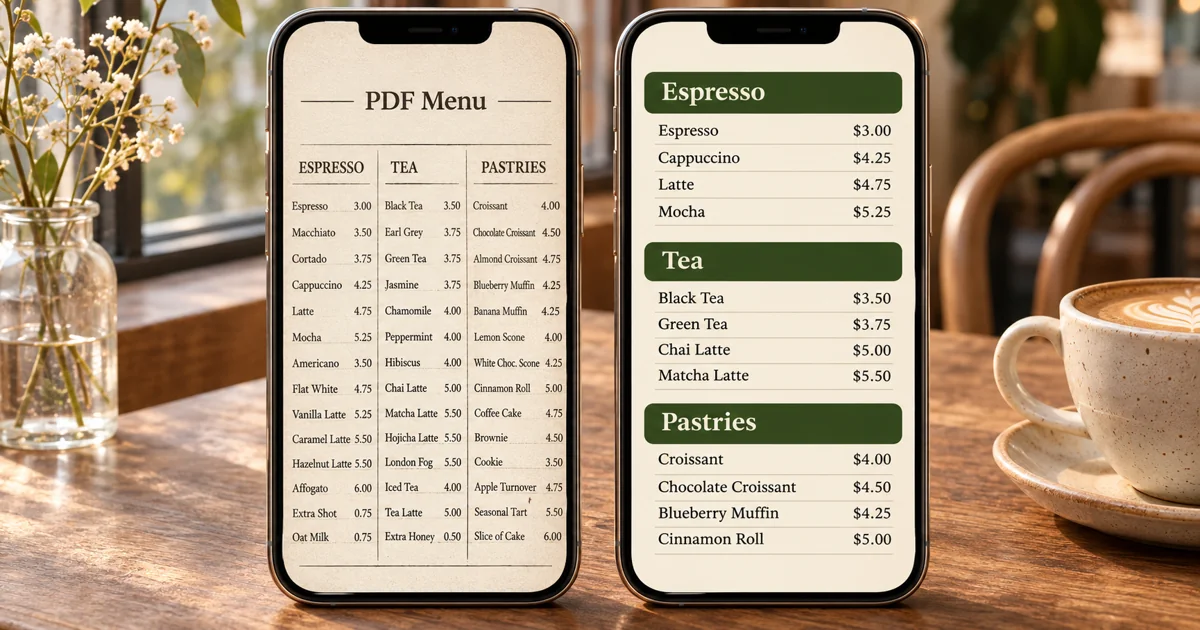
PDF menu vs website menu at a glance
| Factor | PDF menu | Text (HTML) menu |
|---|---|---|
| Phone reading | Fixed print layout often needs zoom | Can wrap to fit the screen |
| Load speed | Depends on file size and viewer | Can stay light with few assets |
| Google indexing | Searchable text can be indexed | Visible text can be indexed |
| Item searches | Items can appear in indexed text | Items sit alongside useful location and order details |
| Updates | Edit, export, and replace | Edit and publish in your site editor |
| Screen readers | Needs accessible tagging and reading order | Use headings, lists, and accessible links |
| Ordering and allergens | Can include embedded links | Links and details can sit beside items |
| Menu schema | Typically added on a web page that links to the PDF | Can describe content on the same page |
| AI answers | Text may be usable when accessible | Clear item and price context, with no guaranteed citation |
| Printing | Predictable page layout | Can print with a print stylesheet |
Use the web page for browsing and orders. Offer a PDF when customers want a print copy.
Is a PDF menu bad for SEO?
Google can index PDF text. If you can select and copy an item name, the PDF contains readable text. If the file is a scan or a flat image, it may need text recognition or manual transcription. Check the result against the original menu. An incorrect price or allergen note can be easy to miss. Google’s indexable file types
The problem is often the experience after the click. If your site’s Menu page is just a download button, the useful details live at a different URL. An old PDF can still be found, and opening it directly may skip your directions, current hours, or order button. Put item names and prices on the main menu page so visitors can see them in context. A page that names matcha and lists the correct branch gives readers more to work with when they search for a matcha latte nearby. Local SEO for cafés
6 reasons text menus work better for cafés
1. Customers can read prices on a phone
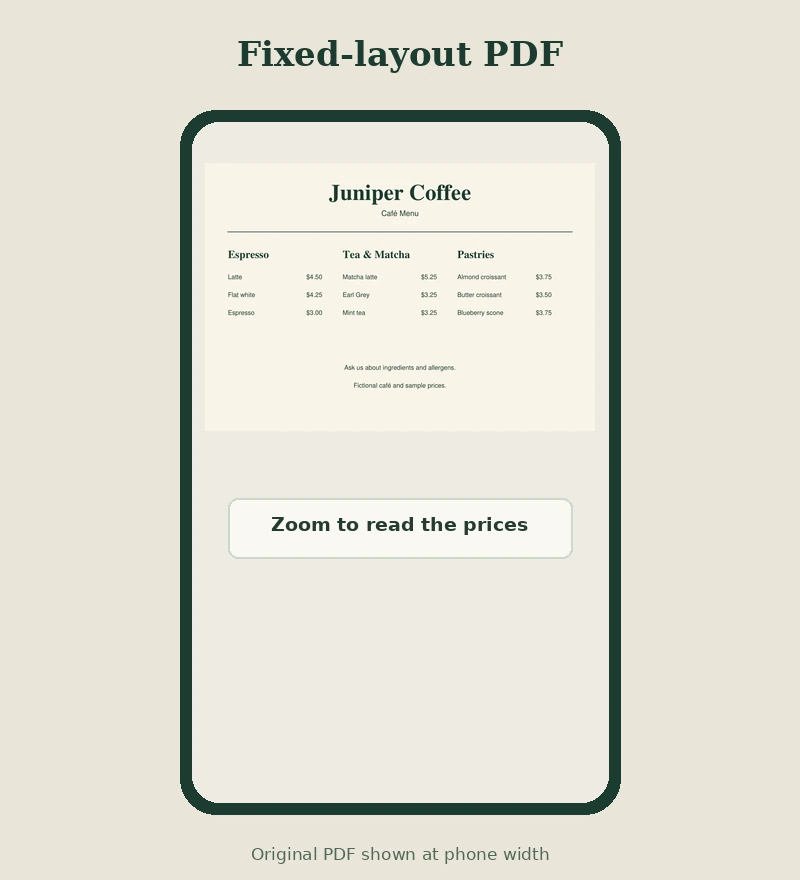
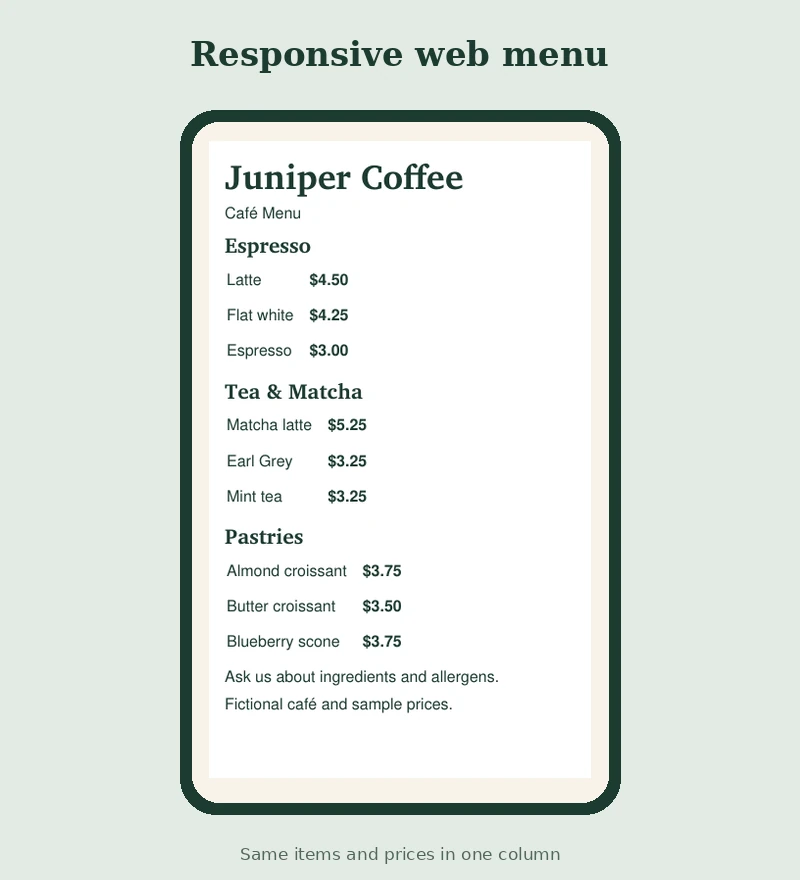
A single column lets the name, size, and price stay together as the page narrows. Test on a small screen at larger text sizes. Make sure prices stay next to the right items, even when a name wraps. W3C guidance on reflow
2. A simple menu page can stay lightweight
In my local sample, the generated PDF was 2,036 bytes and the standalone HTML menu was 1,879 bytes. They contain the same items and use different layouts. This compares saved file sizes. It does not measure network speed. On your site, images, fonts, scripts, and the connection all matter. Use PageSpeed Insights on the published HTML page and open the PDF on the same phone for a practical comparison. PageSpeed Insights
3. Staff can change one item at a time
Change a price directly in WordPress and open the public page to check it. Set a clear date for taking a seasonal drink off the menu. If you offer a print download, assign someone to refresh that version too.
4. Screen readers can follow a clear structure
Use real headings for Espresso, Tea, and Pastries, with each item’s full name and price in reading order. PDFs can also be accessible when they’re tagged and their reading order is checked. An untagged design export can jumble the order of items and prices. W3C PDF reading-order guidance
5. Customers can go straight from browsing to ordering
Put an order button next to the menu or at the start of each section if people order from separate lists. Explain milk options and add-on charges near the drinks. If an ingredient needs clarification, make it easy to ask staff before ordering. Online ordering with WooCommerce
6. Search tools get more context from the page
Public, readable menu text gives search tools names, prices, and descriptions in the same place as the café’s details. Google says there are no special technical requirements for its AI features beyond being eligible to appear in Search with a snippet. It can still choose a different source. Google’s AI search guidance
When a PDF menu is still useful
Keep a PDF for catering packages, wholesale lists, or event menus that customers want to print or email. Put the print link below the live menu, and label the format. If you need a temporary PDF while you build the page, use selectable text and check reading order.
Use a clear filename such as juniper-coffee-menu.pdf. If old files have their own URLs, check where those URLs are linked before you retire them.
How to convert a PDF menu to text in WordPress
- Copy your menu into a working document. If it’s a scan, retype it or use text recognition and proofread the result against the original.
- Organize it around what people order. Use sections like Espresso, Brewed Coffee, Tea & Matcha, Seasonal, Cold Drinks, and Pastries. Keep extras together.
- Build a single Menu page. Use WordPress Heading and List blocks, a simple table for sizes if useful, or Elementor’s Price List widget. In another builder, use its native text blocks. Elementor Price List documentation
- Add details that affect the order. Pair each size with its price. Show add-ons, dietary notes you can verify, and where to ask about ingredients.
- Add actions. Put Order Online where it’s easy to find. Add Directions and an optional print download.
- Check on a phone. Open the page as a customer. Try larger text, read one drink price, and tap through to ordering. Add optional menu schema if you can maintain it.
- Link from the places people look. Update your homepage, navigation, Google Business Profile, and printed QR codes to point to the menu page.
- Retire old PDF URLs. When a PDF is superseded and you control its URL, set a permanent 301 redirect to the matching menu page. Leave a single current print version if customers still use it. Google’s guide to moving URLs
Short on time? We can turn your PDF into an easy-to-update menu page. Restaurant and café website design
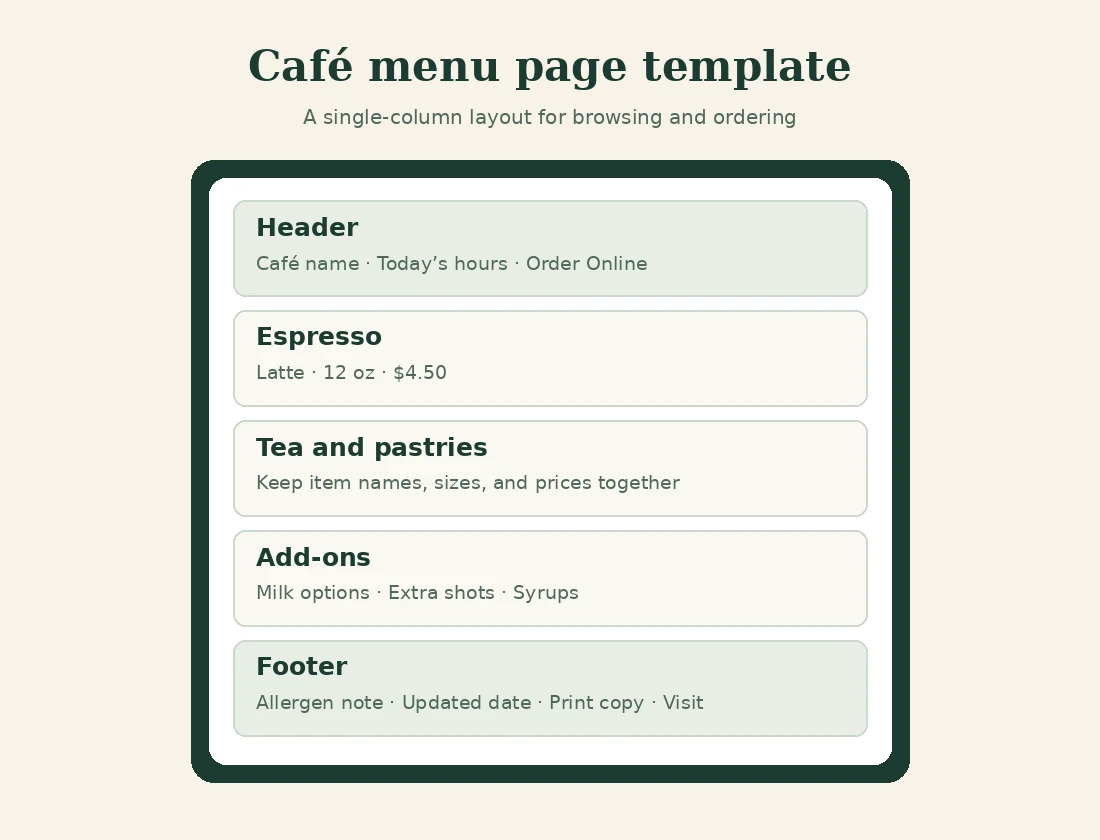
Café menu page template
- Top. Café name, today’s hours, and Order Online.
- Sections. Start with the most popular categories. Use this item format: Latte · 12 oz $4.50 · Double espresso with steamed milk.
- Add-ons. List milk options, extra shots, and syrups with prices.
- Footer. Add a way to ask about allergens, a last-updated date, an optional print copy, and a Visit link.
Planning the rest of the site? See pages every coffee shop website needs and our 10 best coffee shop websites.
Keep your menu in sync
Use your website menu as the main customer reference. Set it as the menu link in Google Business Profile and update any items you manage separately in Google’s menu editor. Change prices in your point-of-sale system and delivery apps at the same time. Link QR codes to the stable web page so the printed code survives a price change. Check the public versions monthly and after every menu rollout. Google’s menu editor guide · Google Business Profile checklist for coffee shops
Add menu schema if you can keep it current
Menu schema labels sections, items, prices, and currency for software. It does not guarantee special search results or AI citations. Match the code to what customers can see on the page. If your site already outputs a café entity, add the menu to that entity where supported instead of creating duplicates. The example below uses a fictional café and prices. Schema.org’s Menu reference
Copy the fictional café Menu JSON-LD example
{
  "@context": "https://schema.org",
  "@type": "CafeOrCoffeeShop",
  "name": "Example Café",
  "url": "https://example.com/",
  "hasMenu": {
    "@type": "Menu",
    "name": "Café Menu",
    "url": "https://example.com/menu/",
    "hasMenuSection": [
      {
        "@type": "MenuSection",
        "name": "Espresso",
        "hasMenuItem": [
          {
            "@type": "MenuItem",
            "name": "Latte",
            "description": "Double shot with steamed milk",
            "offers": {
              "@type": "Offer",
              "price": "4.50",
              "priceCurrency": "USD"
            }
          },
          {
            "@type": "MenuItem",
            "name": "Flat White",
            "offers": {
              "@type": "Offer",
              "price": "4.25",
              "priceCurrency": "USD"
            }
          }
        ]
      },
      {
        "@type": "MenuSection",
        "name": "Pastries",
        "hasMenuItem": [
          {
            "@type": "MenuItem",
            "name": "Almond Croissant",
            "suitableForDiet": "https://schema.org/VegetarianDiet",
            "offers": {
              "@type": "Offer",
              "price": "3.75",
              "priceCurrency": "USD"
            }
          }
        ]
      }
    ]
  }
}
Frequently asked questions
Can Google read PDF menus?
Yes. Google can index searchable text in PDFs. An image-only menu may need text recognition or transcription first. A menu written on the page also lets customers read it beside your opening hours, directions, and order links.
Is a PDF menu bad for SEO?
A PDF can appear in search. The main drawback is that customers may land on a file with old prices or no route to order. Putting the live menu on a web page keeps those details together.
Should I remove my PDF menu completely?
Keep a current PDF if people print it or send it to event guests. Offer it below the web menu. If you retire an old PDF URL, redirect it to the matching live menu where you can.
Are PDF menus accessible?
They can be. Tags, reading order, and usable text all matter. A web menu also needs care. Use real headings, readable text, and links people can reach and understand.
Should my QR code menu link to a PDF or a web page?
Link it to the web menu. Customers can read it on a phone, and you can change the content without printing a new code. Keep the web address stable.
What’s the easiest way to add a menu to a WordPress site?
Create a Menu page, add a heading per section, and type each item and price into a list. A price-list widget also works if the content stays visible as text and reads clearly on mobile.
Put the live menu on your site
Start with the prices you charge today and the links customers already use. Use this short checklist before launch.
- ☐ Publish current items and prices as text.
- ☐ Read prices and test ordering on a phone.
- ☐ Update the profile menu link and printed QR codes.
- ☐ Replace or redirect old print copies.
