

By SH Sanzid
Your morning class Reel gets attention. Then the messages arrive. How much is membership? Can a beginner come to the 6 a.m. class? Is the first session free? By the time you finish coaching and answer them, some people have already made other plans. Does a gym need a website if Instagram already brings in inquiries?
Most gyms benefit from a website. It gives potential members one place to check prices, see the class schedule, and book a trial. Instagram helps people get a feel for the gym, and your booking software handles reservations. A solo trainer with steady referrals can start with a simpler setup.
I’m SH Sanzid, a web designer at PosySites. Here’s what I’d build for different gyms, what I’d leave for later, and how I’d test it. For design ideas, see our best gym websites roundup.
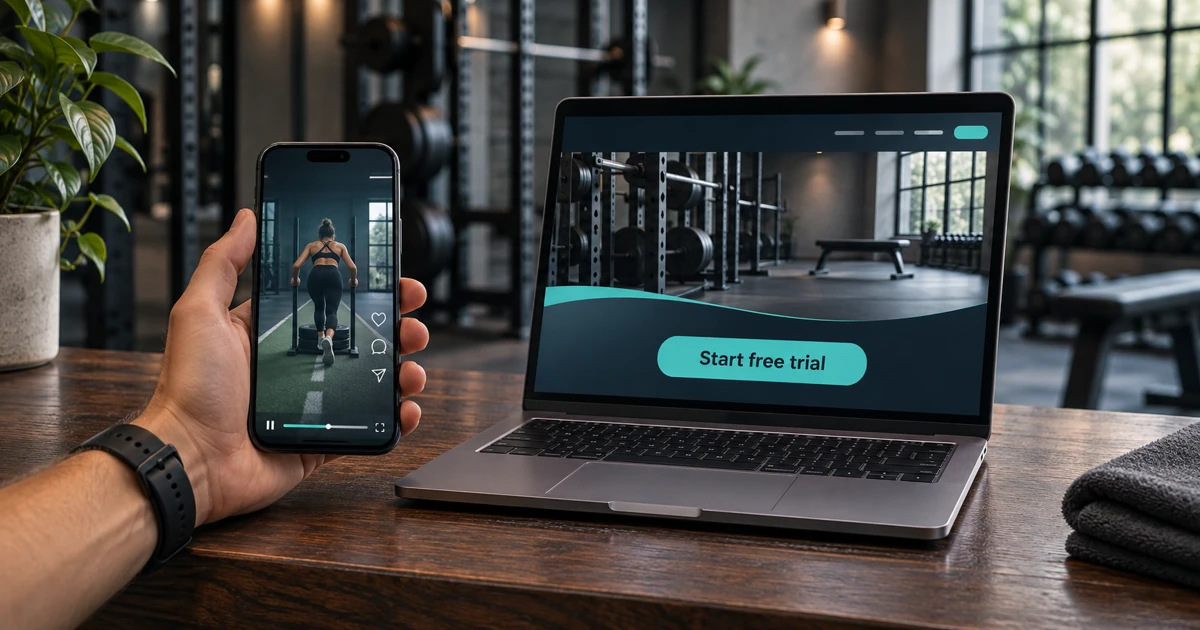
Does a gym need a website right away?
Personal trainer or small PT studio
If referrals fill your calendar, Instagram and a booking link may be enough. Use a Google Business Profile if the business is eligible. When you want a steadier flow of new clients, a one-page site can explain who you train, list an hourly or starting price, and let people book a consultation.
Boutique studio or CrossFit box
Build a site when a new person needs help picking a class. A booking page can show the schedule. Your site can explain which sessions are beginner-friendly, who coaches each program, and what happens on the first visit. Link straight from the intro offer to the relevant class.
Full-service or 24-hour gym
Make the site part of your setup. People want to see membership options, facilities, staffed hours, and how to join. If members have 24-hour access but the front desk closes at night, show both schedules. Give each location its own page, with a join link for the right branch.
When an active Instagram account does the job
A Reel shows what a class feels like in a way a timetable can’t. A solo coach can post short clips, share available slots, and answer the occasional message between sessions. If your schedule is full and referrals bring in the right people, you have little reason to rush a bigger build.
The limits show up when people need answers that change. A class time in a highlight can be out of date. A price in a caption gets buried. Someone searching for “gym with a sauna near me” might land on Maps first. And a DM thread can become a slow way to handle waivers, payments, and trial reminders once the inbox gets busy.
Instagram vs. a booking-app page vs. your own website
Instagram helps people see the community. Your booking software manages classes and payments. A website connects those tools and gives a new visitor a place to choose what to do next.
| What you need | Booking-app page | Your website | |
|---|---|---|---|
| Gym culture | Reels, Stories, and posts | Depends on the tool | Tours, coach bios, and member stories |
| Membership prices | Pinned post or bio link | Plan prices where supported | Plan comparison and joining terms |
| Class schedule | Highlights or a link | Live schedule where offered | Embed or link to the live timetable |
| Trial or intro offer | Message or bio link | Offer depends on the provider | Dedicated page with a short form or booking link |
| Bookings and payments | Link to a booking flow | Provider handles eligible bookings and payments | Connect the provider or embed its tool |
| Google Search | Public content may appear | Provider page may appear | Separate pages for classes and locations |
| Google Maps | No Maps listing | Link from an eligible Google profile | Link the matching location from your profile |
| Branding | Posts, bio, and highlights | Depends on provider and plan | Custom layout and content |
| Lead and email capture | DM or external form | Forms depend on provider | Custom forms and opt-in flows |
| Ad landing pages | Profile or bio link | Available pages depend on provider | One page per offer or location |
| Control | Meta runs the platform | Vendor manages the hosted page | You control the domain and site content |
| Cost | Free profile, optional ads | Included or an add-on, depending on plan | Build, domain, hosting or plan, and upkeep |
For a class-based studio, a typical path is Instagram → intro offer → booking software. If you can embed the live schedule, customers can browse it without starting a separate search.
7 reasons your gym needs a website
1. Give local searches a useful page to land on
Someone looking for beginners’ Pilates or a gym with parking wants specific details. Give each main program and branch a page that answers those questions. Link the right branch page from your Google Business Profile. Google says relevance, distance, and prominence shape local results. Google’s local ranking guidance · Local SEO for gyms
2. Make pricing and class times easy to find
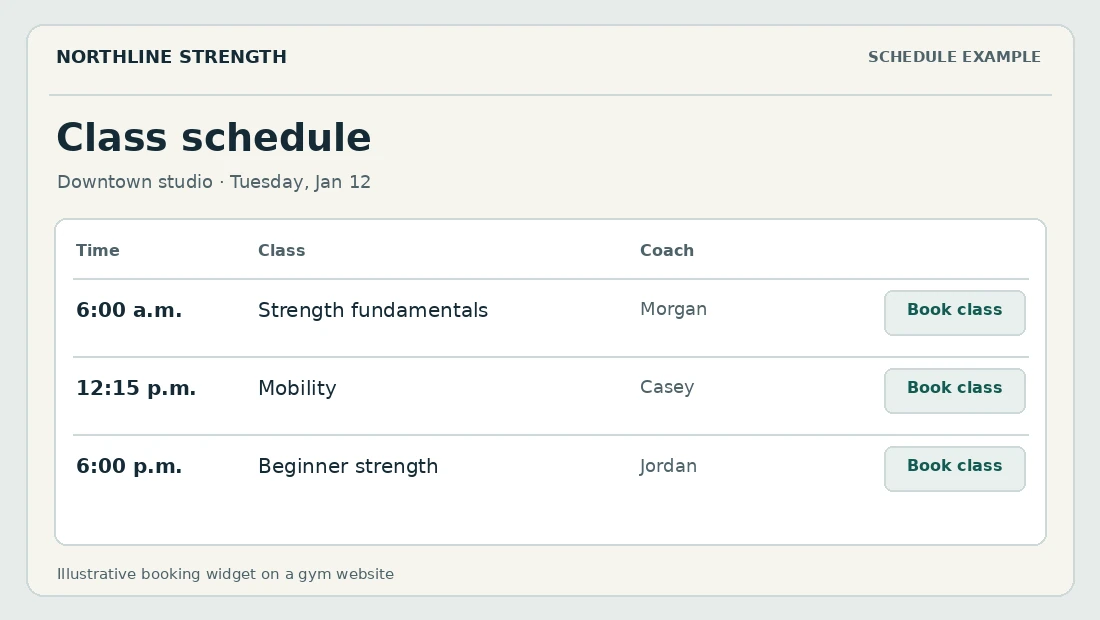
Show prices or a genuine starting price, plus the billing period and any joining fee. If you prefer a tour before giving a quote, explain what the tour covers and how to book it. Use your live schedule so someone looking for the 6 a.m. strength class sees the same time your front desk sees.
3. Give new visitors one clear offer
A free trial or a paid intro pack deserves its own page. Explain who it’s for, what’s included, what to bring, and how to claim it. My first design check is to open the page from a phone and see whether I can book as a first-time visitor without contacting staff.
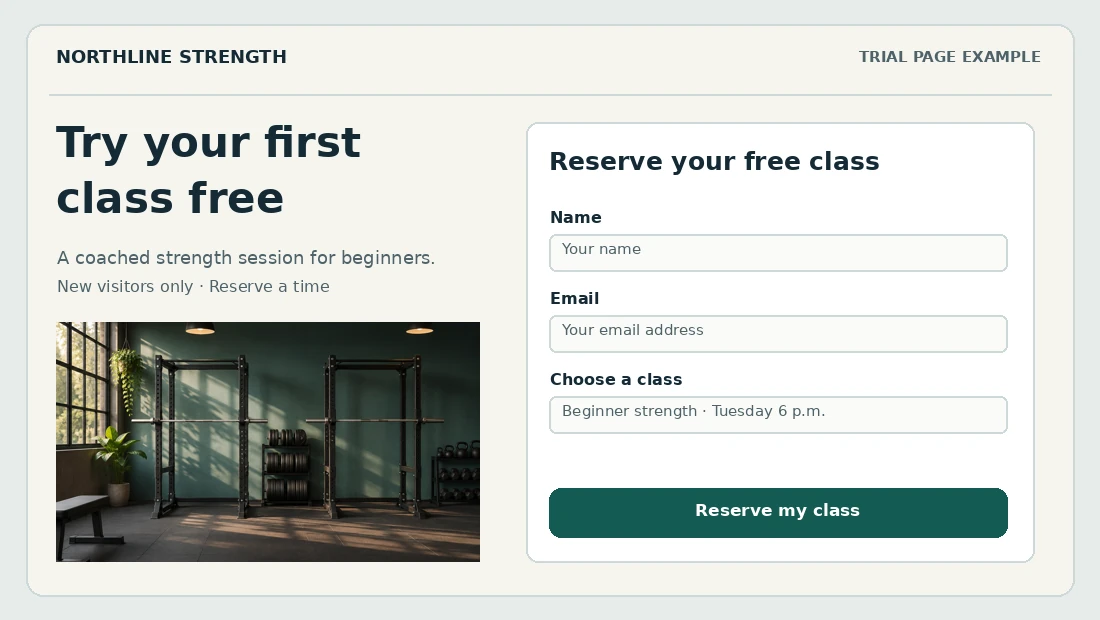
Need a trial page for your gym? See our WordPress website design services.
4. Put booking software where people are ready to use it
Mindbody documents a schedule widget, and ABC Glofox documents embedding its web portal for schedules and memberships. Check your plan, then test mobile signup, account creation, payment, and confirmation. Some flows open the vendor’s checkout. Keep a direct booking link nearby in case the embed is slow or hard to use. Mindbody Branded Web Tools · ABC Glofox website integration · WordPress development
5. Match every ad to the offer it promises
If a Reel or ad offers a beginner’s intro pack, send people to that pack. Give them the price, the branch, and a button that starts the booking. Track completed forms or bookings where supported so you can tell which campaigns bring in trials.
6. Show who runs the gym and what to expect
Introduce coaches with relevant qualifications. Use real facility photos to show the racks, changing rooms, or parking. Make it easy for a first-time visitor to picture arriving, finding the desk, and meeting their coach. Share member stories only with permission.
7. Keep a web address you control
Register the domain in the gym’s name. You can keep using it if you change booking providers or lose access to a social account. Google ended its free Business Profile websites in 2024. The Business Profile listings continued. Reporting on Google’s 2024 shutdown announcement
When Instagram is enough for now
If you’re testing an outdoor bootcamp, pin the session times, price, location, and steps to join. Use one booking link in your bio and check what a new client sees. If demand is steady, add a page when you bring on coaches, introduce several classes, start paying for ads, or spend too much time answering the same messages.
What a gym website should include
- Home. Tell visitors who the gym is for and put Start a Trial or Book a Tour near the top.
- Memberships and classes. Show plan terms, live schedules, and beginner options.
- Coaches and facilities. Show the actual space, relevant qualifications, and approved member stories.
- Visit. List the address, parking, accessible entry details, and staffed hours.
- FAQ and contact. Explain cancellations, contract length, and guest passes. Give people a short way to ask questions.
For a PT studio, those can start as sections on one page. Test on a phone before adding a video or a second booking embed. See examples of gym websites.
Use member stories and transformation photos responsibly
Ask members for written permission before posting their photos or stories. Tell them where the material will appear. Keep claims accurate and supported. The FTC advises that exceptional results can mislead if people take them as typical. Its guidance calls for clearly disclosing what people can generally expect when relevant. The UK CAP Code also has rules on testimonials and weight-control claims. This is general information, not legal advice. FTC endorsement guidance · CAP misleading advertising rules · CAP weight-control rules
How much does a gym website cost in 2027?
Use these USD examples to plan a budget. The freelance and agency estimates multiply assumed project hours by rates published in 2026. Confirm costs in your market. UK owners can ask for a GBP quote and check VAT. Wix plan comparison · Upwork designer rates · Clutch’s 2026 pricing guide
| Option | Upfront cost | Monthly cost | Best for |
|---|---|---|---|
| DIY builder | Your time and any plan prepayment | Wix listed plans from $17/month billed yearly | One page with a consultation link |
| Freelancer or studio | $375–$1,500 at $15–$30/hour for 25–50 hours | Hosting or plan, plus optional support | Single location with a timetable and trial page |
| Custom agency build | $5,000–$11,920 at $100–$149/hour for 50–80 hours | Hosting, integration costs, and support | Several branches or more complex joining flows |
Ask what hosting, domain renewal, maintenance, and your booking platform will cost. A software subscription or payment fee may sit outside the web quote. Website care and maintenance · Get a fixed-price quote
Connect Instagram, the website, and booking
Link your bio to the trial page when that’s the main offer. Use Story highlights to point to the current timetable and prices. Repurpose a good walkthrough Reel for the Visit page if it helps customers find the entrance. If you embed a full feed, check its effect on mobile loading. Check that your name, address, phone, and hours match across the site and Google Business Profile.
Frequently asked questions
Is Instagram enough for a gym?
It can be enough for a trainer or small gym that gets steady referrals and can keep up with inquiries. Add a site when potential members need reliable prices, a timetable, or a way to book without waiting for a reply.
Is my booking app’s page enough instead of a website?
It can be enough if you only need a schedule and a working checkout. A website gives you room to explain your programs, show facilities, and create location or trial pages. Connect the hosted booking page if it already works well.
Does a personal trainer need a website?
A trainer with a full calendar may be fine with referrals and a booking link. A one-page site helps when you want regular inquiries and need a place to explain your services, starting prices, and how a consultation works.
Should a gym show membership prices on its website?
Showing a price or a clear starting price lets people decide whether it fits their budget. Explain fees and billing terms. If prices vary by program, give visitors an obvious way to book a tour or request details.
How much does a gym website cost?
A simple builder starts with a subscription and your time. The examples here put a freelancer build at $375–$1,500 and a more complex agency project at $5,000–$11,920. Budget separately for any booking plan and ongoing support.
What is the best platform for a gym website?
WordPress is a good option when you need flexible program and location pages. A simple builder can suit a one-page site. Check how your booking software handles embeds, account creation, and payments before choosing.
How do I get my gym to show up on Google Maps?
Claim and complete your eligible Google Business Profile. Use the correct name, address, category, and hours, and link the right website page. Add photos and invite honest reviews. For help with the branch pages, see our local SEO for gyms. A developer can use ExerciseGym structured data to describe your gym on the site. Schema.org’s ExerciseGym type
Make it easy to take the first step
Choose the action you want people to take after they see your gym. Start with one trial, tour, or consultation page, then connect it to the booking system your staff already uses.
